Operations platform for travel & transport businesses
Run operations your way.See them more clearly with Opsby.
Every business runs differently. Opsby helps keep bookings, dispatch, suppliers and cash flow connected in one shared context.
Kéo ngang để xem hết ảnh →
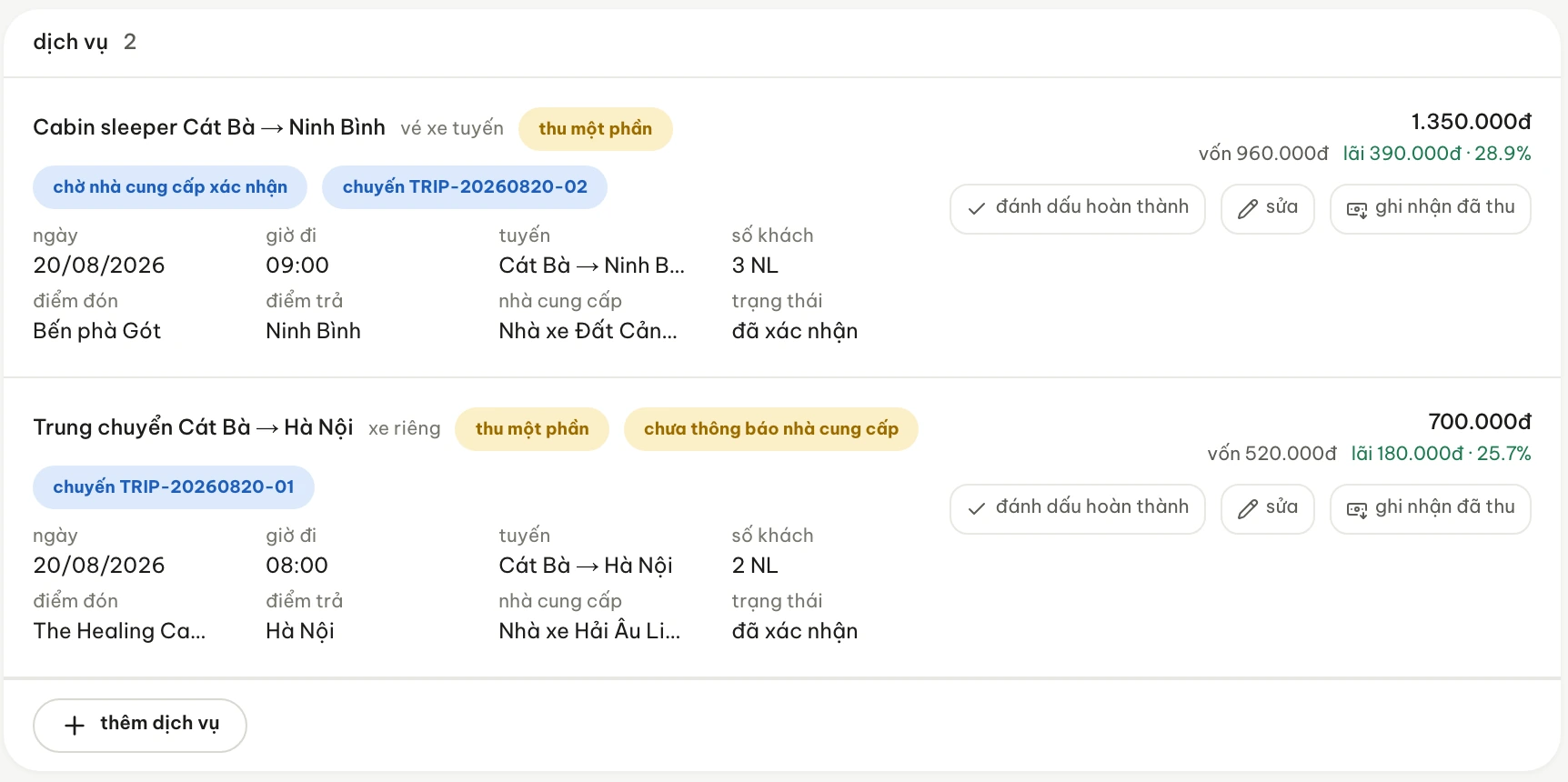
One booking opens out into separate services — each with its own date and time, supplier, sell price and status.
Kéo ngang để xem hết ảnh →
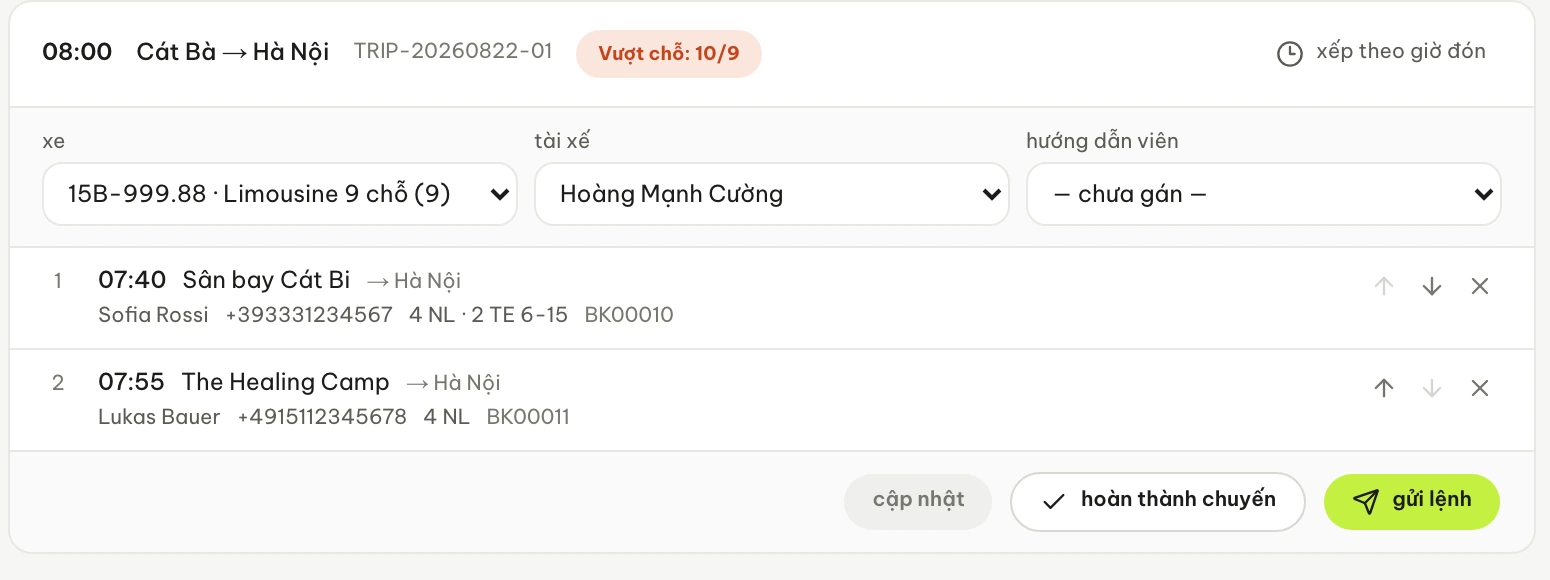
Services become trips: vehicle, driver and pickups in time order — with an over-capacity warning right on the trip card.
Kéo ngang để xem hết ảnh →
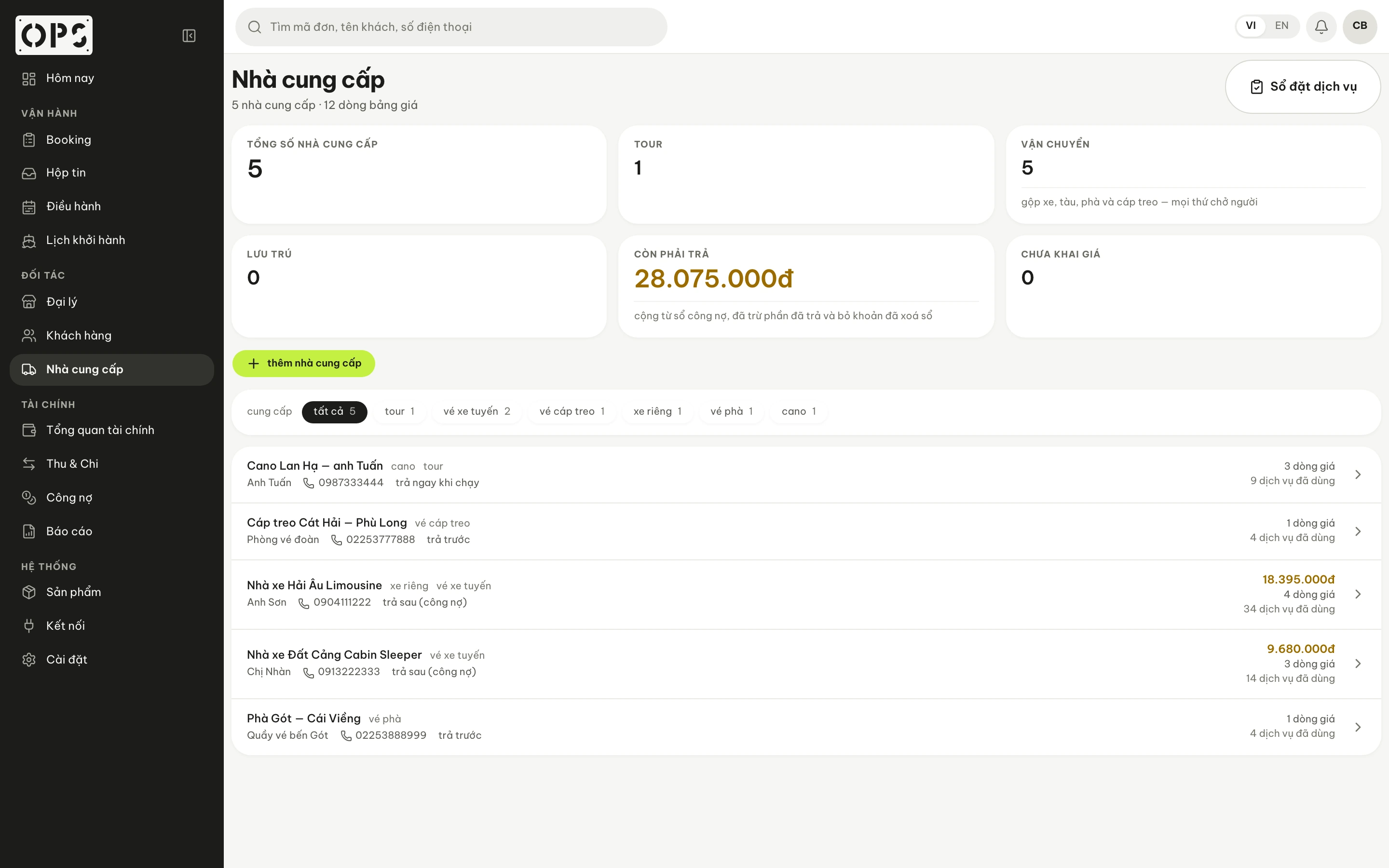
Most of what you sell is bought from someone else. Each supplier has its own payment terms, and its own amount still to pay.
Kéo ngang để xem hết ảnh →
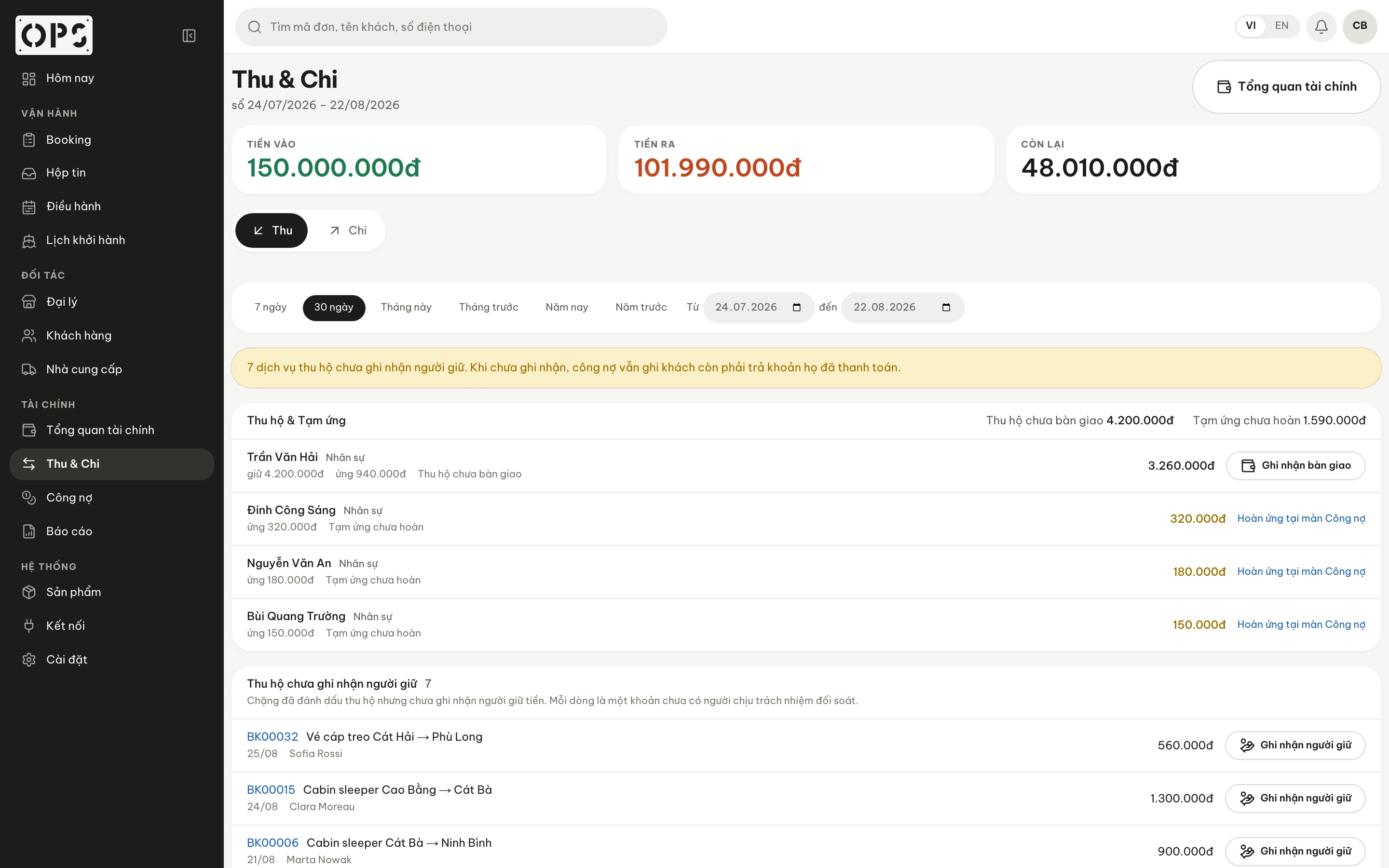
Money in, money out, what is left — and the part still sitting with whoever collected it, not yet handed over.
A familiar situation
A guest moves the pickup from 08:00 to 08:30.
- Booking
- Services
- Dispatch
- Suppliers
Dispatch reworks the trip. The driver and the guide need to know before they leave home. The services attached to it need updating. The supplier may have to be told again.
You already have tools, and each one does its own job well.
- Zalo
- where people talk to each other
- Excel · Google Sheets
- where the numbers are kept and worked out
- Online sales channels
- where bookings come in
- The phone
- where anything urgent gets handled
Opsby
An operations layer for the parts of the work that sit apart.
Opsby does not replace the tools you already use. It holds those pieces of work in one shared context.
Who is involved.
- who sold the booking
- who is running the trip
- which supplier is on each service
Where the work stands.
- whether a service has a vehicle yet
- whether a trip is over capacity
- what is still waiting today
Where the money is.
- how much has been collected
- which suppliers are still owed
- who is holding money collected in the field
Ops + by
Why the name OpsbyThe jobs can look alike. The way they are run does not — and Opsby was not built on the assumption that every business runs the same way.
Evidence
How the work moves through Opsby.
Screenshots from one demo system. The money-on-one-booking block is the same booking shown at the top of this page.
- Work
What is still open today.
A list of what is still outstanding, split by type, each type clickable to go straight to where it gets handled.
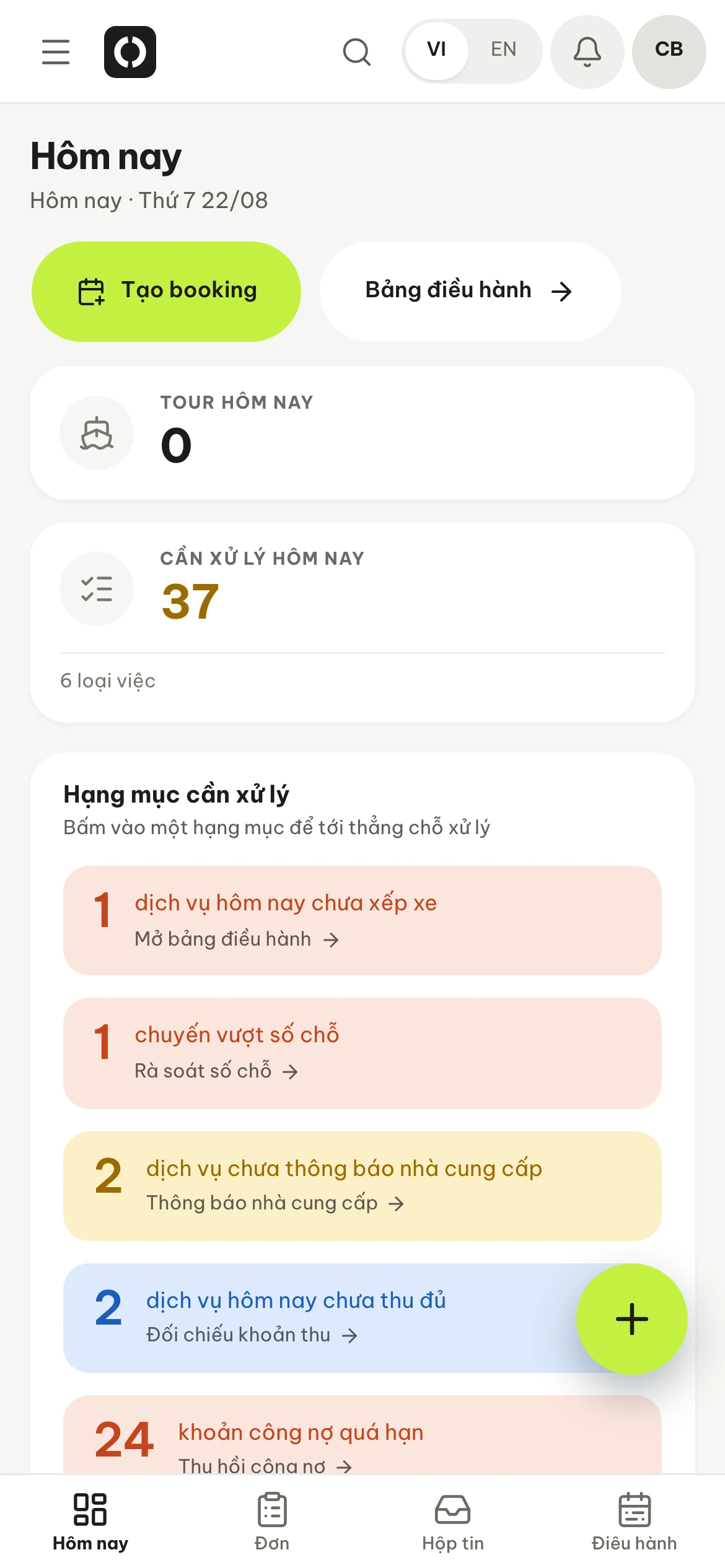
The same “Today” screen, shot on a phone — 37 items, in six types. Kéo ngang để xem hết ảnh →
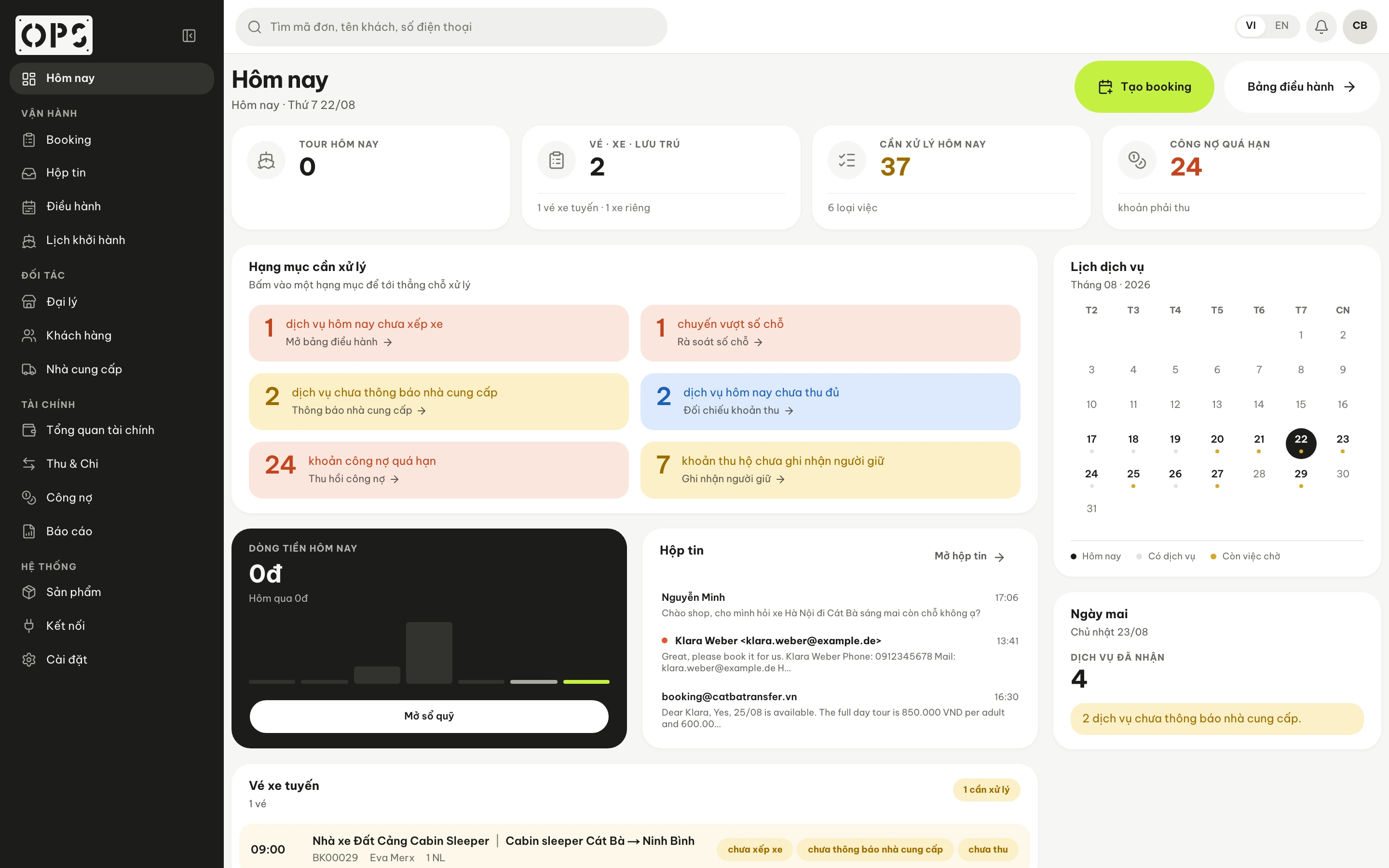
The “Today” screen on demo data — 37 items, in six types. - Money on one booking
What was sold, what came in, what is left.
The same booking read as money: what has come in, what is still to collect, what is owed to each supplier.
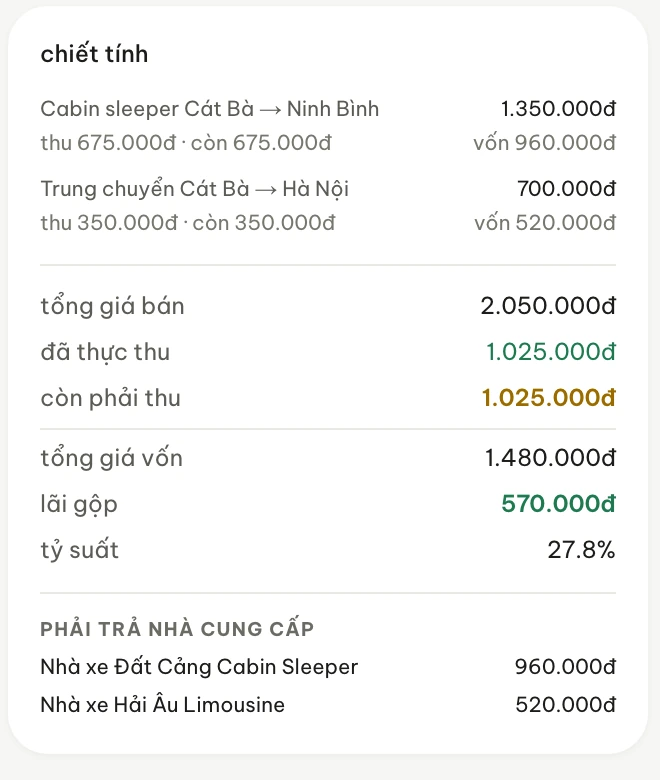
Cost and gross margin sit on this same card, and they only show for people with permission to see cost. - Money out in the field
Collected already, and sitting with whom.
Money that reached someone’s pocket but not the books. This screen names each person holding it, how much, and how much of their advance is unreturned.
“Each row is an amount with no one accountable for reconciling it” — that sentence is already in the product.
Kéo ngang để xem hết ảnh →
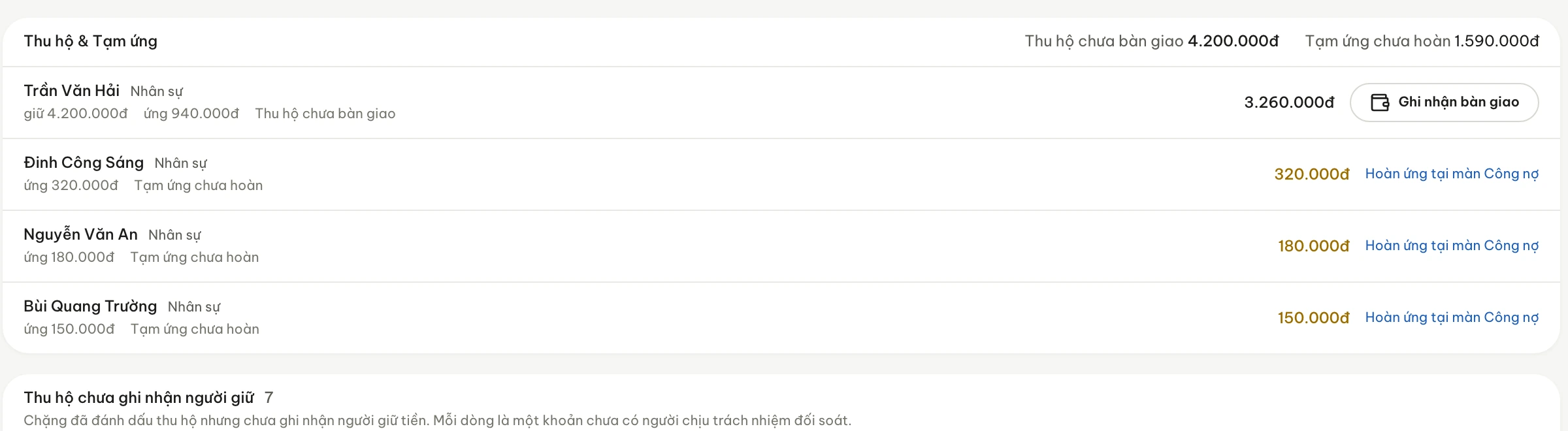
“Each row is an amount with no one accountable for reconciling it” — that sentence is already in the product.
Does Opsby fit the way your business already runs?
Four different shapes of work, the same choke point.
It may fit, if
- one job passes through several people
- you regularly buy services from suppliers to resell
- you need to see both the operations and the money on the same booking
You may not need it yet, if
- the scale is still small, with few things cropping up
- one person can hold almost all of it
- your current Excel file is still clear enough to look things up in
If it is not time yet, Excel can still be the right answer.
Origin
Opsby started in Cát Bà.
Opsby did not start from a software idea. It started from the work it takes, every day, to make a trip happen the way it was sold.
See whether Opsby fits the way you already run things.
You do not have to replace everything you use today. Start from the workflow your business already has — a short session on your own numbers, not sample data.