Product
Operations don't end at the booking.
After the booking come the services to arrange, the trips to hand to someone to run, the suppliers to book, the money to collect and the money to pay. Opsby keeps those parts in one place with the booking.
What goes into Opsby
What goes in is a booking with a buyer, a date of use, and something already promised to a customer. Whoever is on duty enters it directly, or it sits in the inbox — a request still missing information stays there rather than mixing into the real bookings.
- A direct customer and an agent's customer are both bookings — what differs is who pays, and at which price.
- Every booking carries a code, and that code stays with it to settling up.
- Each booking records its source, so at the end of the month you can still look up where your customers came from.
A booking breaks down into services
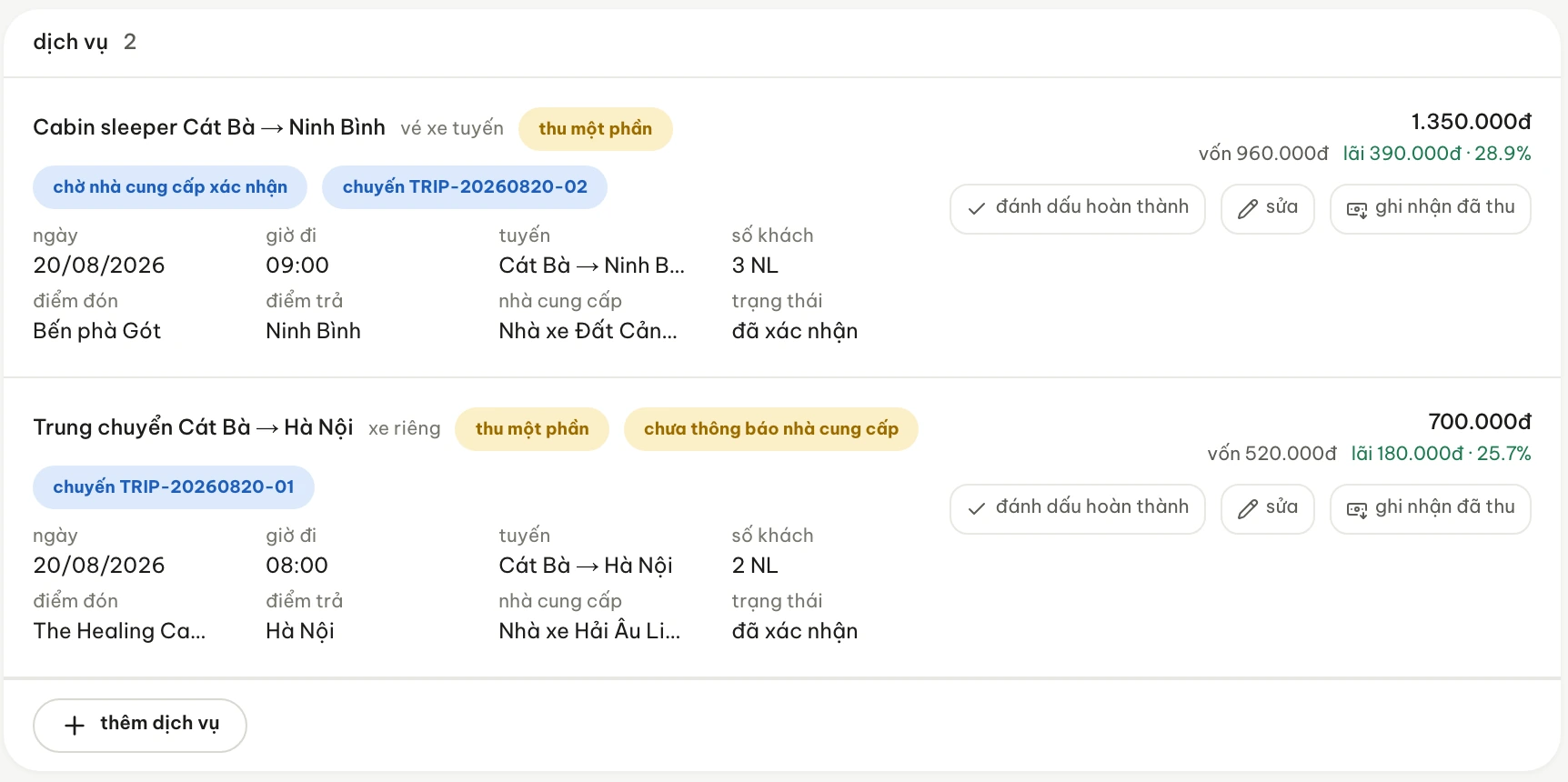
A booking holds services of different kinds: a seat on tomorrow morning's run, a room night, a place on a tour.
- Each service carries its own trip or departure code, so a trip looks up directly to the customers on it.
- Suppliers attach to the individual service rather than to the whole booking — one booking bought from three places is ordinary.
- Status lives at the service level: one service being finished does not make the whole booking finished.
- The selling price is worked out per service; so are cost, margin and margin rate, but those appear only for people with permission to see cost prices.
Kéo ngang để xem hết ảnh →
Services turn into the work of the day
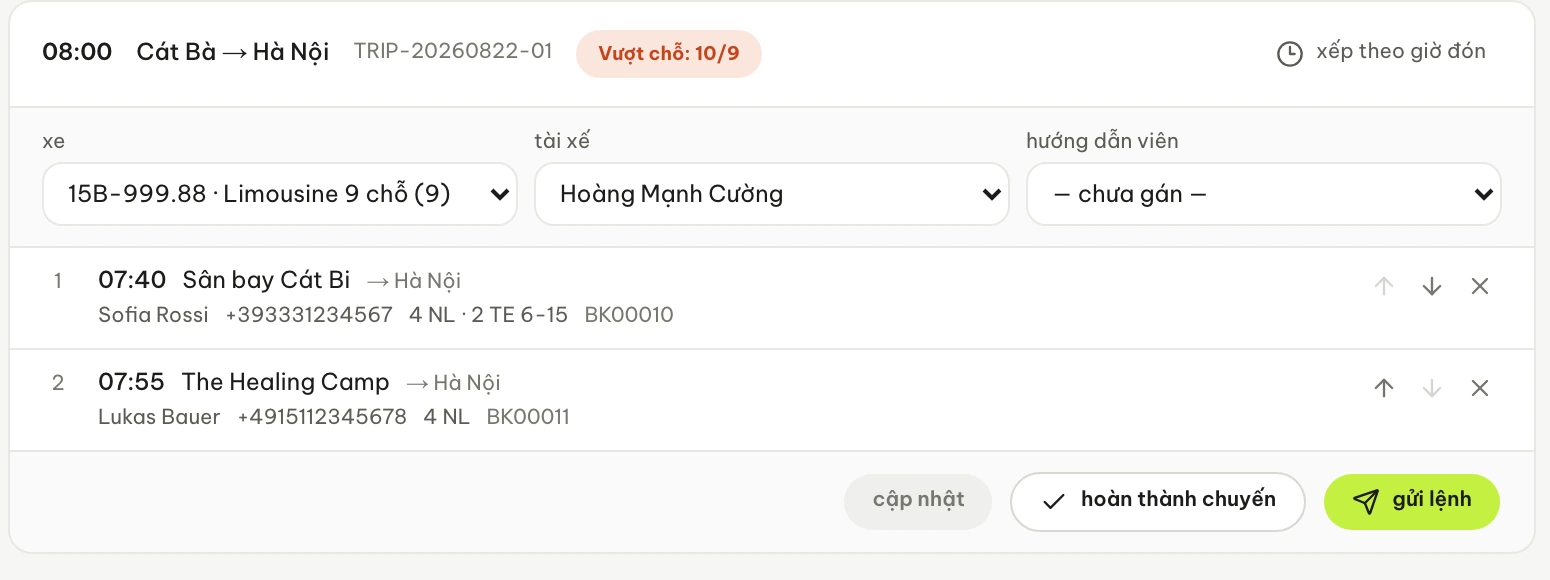
The Dispatch screen is ordered by departure time rather than by the order bookings came in: which trip at which time, who runs it, who gets picked up where.
- Each trip is a card: departure time, route, trip code, vehicle and the person in charge.
- Customers on a trip are grouped by pick-up point, in the order of the times recorded.
- When the head count goes past the number of seats, the trip card shows a warning on its face: ten passengers on a nine-seat trip.
- Changing the vehicle or the person in charge is edited in place on the card — it stays the same trip.
Kéo ngang để xem hết ảnh →
Who does the work, and who you buy from
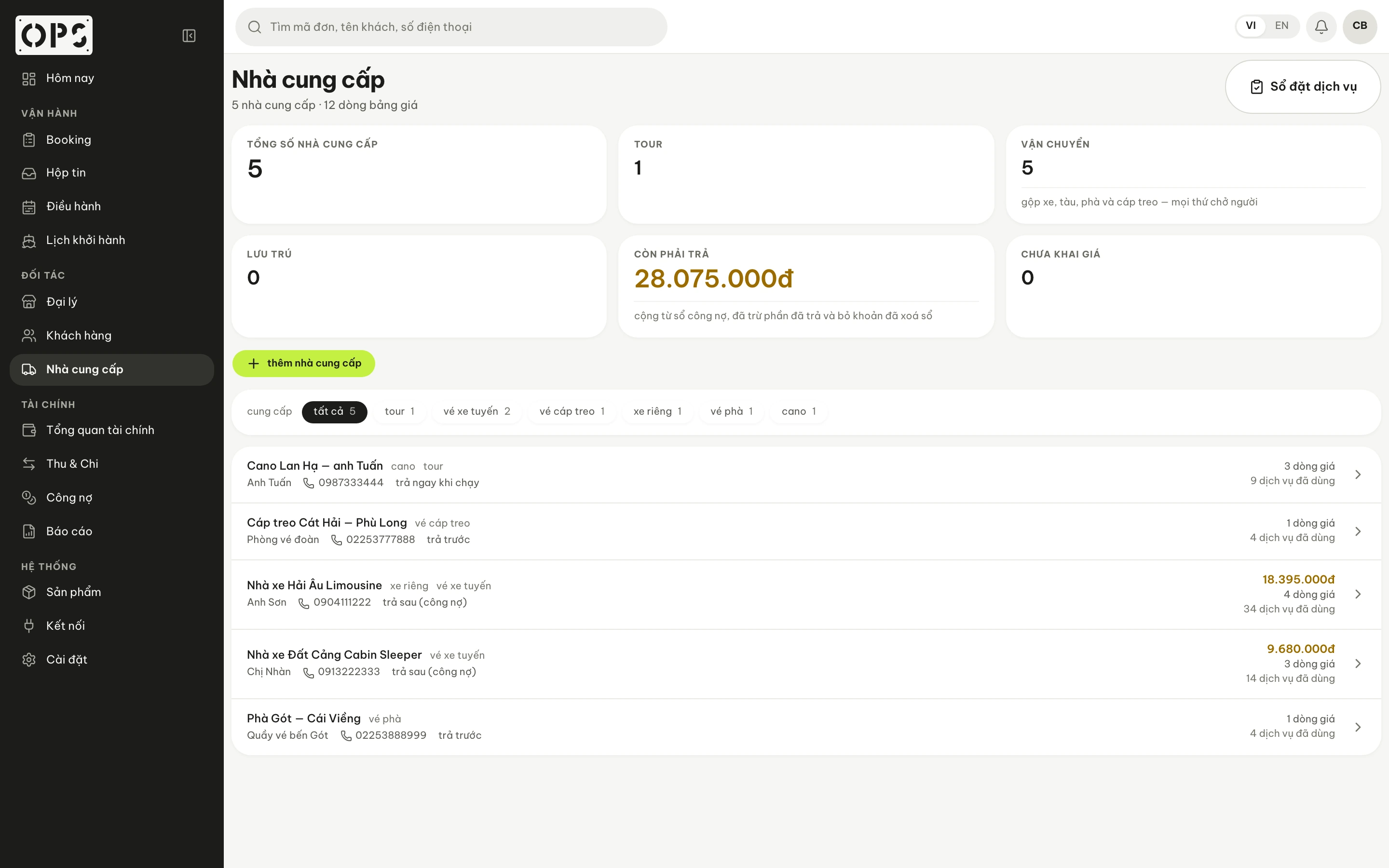
Most of what you sell is carried out by someone else — the coach operator, the boat, the hotel — while the drivers, guides and staff at the pier are your own team. Opsby records both in the same place as the service: who is running the trip, which supplier it was bought from, and how much they are still owed.
- The supplier list is entered by your business, with each party's payment terms.
- Whoever you buy from, the payable stands in their name and adds up service by service.
- The trip card tells you who has the customers — for trips someone has been assigned to.
Kéo ngang để xem hết ảnh →
Money stays attached to the booking, and to each service in it
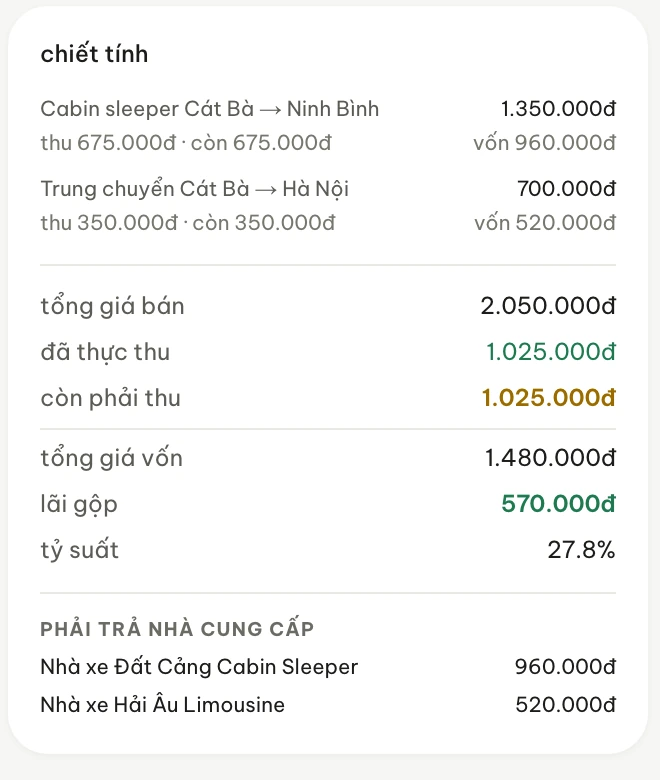
The money travels with the service from the moment the booking takes shape: a booking's breakdown card answers both sides, how much the customer still owes you and who you still owe.
- Actually collected and still to collect are two different figures, standing next to each other on the same card.
- The booking's total cost, gross margin and margin rate appear only for people with permission to see cost prices.
- Cash taken out in the field is recorded as money someone is holding, not yet as money that has reached the company's till.
At the end of the day, the figures have to meet in one place
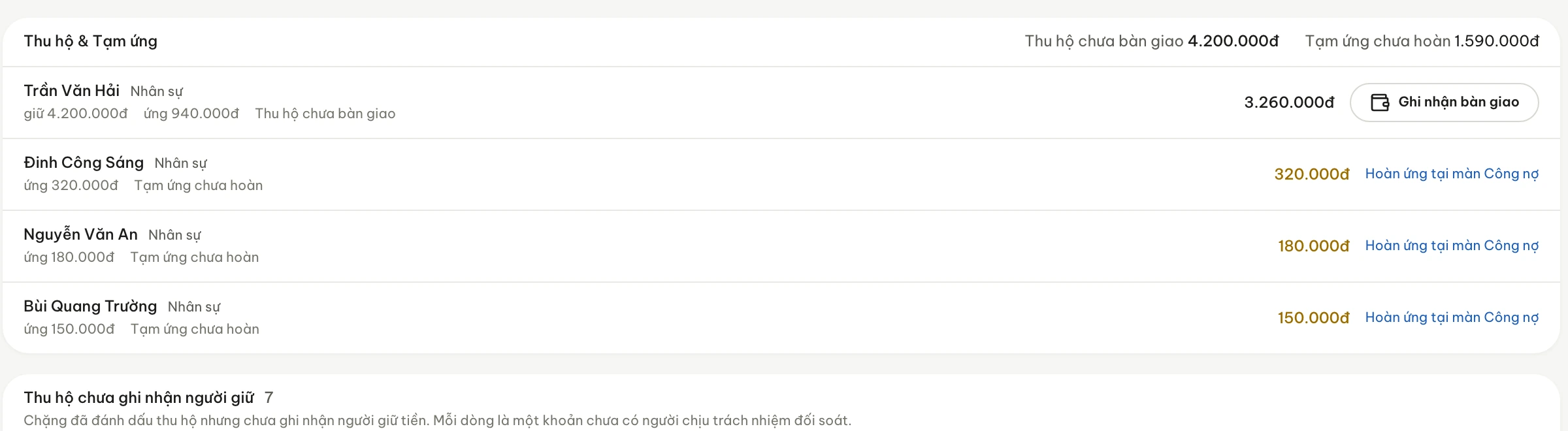
A working day ends by squaring things up: who is holding cash, whose advance has not been settled, which bookings are still open.
- Cash hand-overs are recorded per person, against the amount that person is holding.
- Unsettled advances sit in the same block as cash collected in the field — both are company money currently outside the till.
- The dispatch role works on trips and customers; cost prices, gross margin and the finance screens open only for roles that hold the permission.
Kéo ngang để xem hết ảnh →
Câu hỏi thường gặp
How is this different from a carefully built Excel or Google Sheets file?
Excel calculates and presents very well, and plenty of offices have run on it for years. What it struggles with is holding the connection between a booking, its trips, the suppliers already booked and the amount still to collect — those tend to live on different sheets, updated by different people. Opsby keeps them in one place.
My team still runs the work through Zalo. Does Opsby cut against that?
No. Zalo is where you talk, and it does that well; Opsby is where what has been agreed gets written down. Who is running which trip and which customer has paid have a place to be looked up.
We already have software that takes bookings. What then?
Software for selling and taking reservations usually stops once the booking exists. Opsby picks up what comes after: the services in the booking becoming trips someone runs, bought from which supplier, how much came in, who is still owed. If you already have a tool handling that stretch well, there is nothing to replace.
Is Opsby a better fit for a tour company or for a coach operator?
Both, because the set of jobs is the same: sell, hand it to someone to carry out, buy it in from a supplier, then collect and pay. A coach operator thinks in trips and routes, a tour company thinks in departures and combined services — the same service model, so you set it up using the words your company already uses.
Does getting started mean changing how we work?
The work itself doesn't change — you still take bookings, still arrange trips, still square up; what changes is where it gets written down. The initial setup is made of things you already have: products, suppliers, the people on your team and each person's role. You can start with the area giving you the most trouble and widen from there.
What stage is Opsby at?
Opsby is early. It is used for the daily operational work of the team that builds it, we work with a small number of businesses, and it is still being written as gaps show up in use. This is not a packaged product ready for every situation at every company. If you need something that has been stable for years, this is not the moment; if you want a say in how it takes shape, this is.
Try it against your own work
Take one real working day — a few bookings, a trip or two, one supplier — set it up and see whether the path through matches how your company already works. Tell us what you sell and where things are getting stuck.